|
eRepair Word Tool |
|
|
 |
|
Repair utility for corrupted Word files
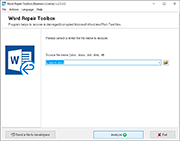
The eRepair Word easily recover damaged Word documents and templates, it quickly scans the damaged
Word file and shows the text that can be saved from corrupted MS Word
file. Repaired contents and links can be evaluated, exported to
Microsoft Word and saved as healthy Word document.
download eRepair Word free
trial and evaluate
|
|
|


Some parts of damaged file may be lost without any chance to
recover. When the reading process is done, repaired preview will be
displayed on program window.
eRepair Word demo is limited, it will not save the repaired
data, but you can inspect the preview and make sure, that blind
spots are absent. Registered customers can export recovered data to
any document in Microsoft Word format. The eRepair Word is able to
save the repaired Word text as a plain text file. After that you
will be able to open this document in Microsoft Word or other text
processor, and start working with it. Note: the source file will not
be modified during recovery process.
To
export and save recovered text, the Word repair software should be registered with the
one of following license type
:
Personal,
Business,
Site

eRepair Word utility can process text files of different
formats: documents and templates of Microsoft Word format (supported
extensions are: .doc, .docx, .dot, and .dotx) as well as Rich Text
files (.rtf format). This program can recover text only, all images,
tables and source formatting will be lost.

The tool can be launched at: Windows 98, Windows Me, Windows NT
4.0, Windows 2000, Windows XP, Windows XP SP2, Windows 2003, Windows
Vista

   |
|
|

Main Features of Word repair tool:
• Read damaged files of Word format
• Display the full recovery preview of the Word file in the eRepair Word form
• Repair data from damaged documents and templates in Microsoft Word
format
• Recover Word files located on damaged removable media (CDs, floppy
disks, DVDs, flash drives)
• Word repair tool supports to repair docx files of Office 2007
format
• Recover Word file which is placed to the local network
• Export recovered data to a plain text file or to a file in
Microsoft Word format
• Convert Word document of 2007 format to previous Word format
• Supported to repair Word of versions, including Word 97, 2000, 2002,
XP, 2003 and 2007
• Simple to use, no technical Word recovery skills required

eRepair Word restores data from documents
damaged due to following reasons:

•
Power failure during file write operation
•
Microsoft Word cannot read the source file and displaying the error
messages:
Microsoft Word unable to read file... or This file is not in a
recognizable format...
An internal Microsoft Word error occurs and the system forces the
program to be closed
(exe has generated errors and will be closed by Windows) File .doc
cannot be accessed.
The file may be read-only, or you may be trying to access a
read-only location.
•
The server where document is stored on, may not be responding. Word
unable to read file...
•
Corruption due to Virus attack or damages due to incorrect antiviral
check
•
Data loss during Undelete operation for previously deleted Word
file
•
Equipment or media failures, Word was not closed properly
•
Damages due to interrupted download...

Demo Restrictions

The Word repair tool is shareware tool. Unregistered
users can view the ability of data
recovery but cannot save data. Free demo version is available for
download from our site.
It displays the information which can be exported to Word and
allows you to see all data to be
repaired without limits. Please download and try our software
prior to purchase it. |
ATTENTION: eRepair Word do not edit,
modify or add any information to the source Word documents.
Repair utility only
reading and extracting the corrupted Word file content and
exports the recovered data to a new word file.
We do not provide cracks, hacks for Word files, you can not find the
eRepair Word crack, serial, hack, keygen ot this site. Please notice that
we do not upload official versions of eRepair Word to depositfiles,
rapidshare, emule, torrents etc.

If you have any questions, please contact us using the
contact form.

|
|
 |
|
|